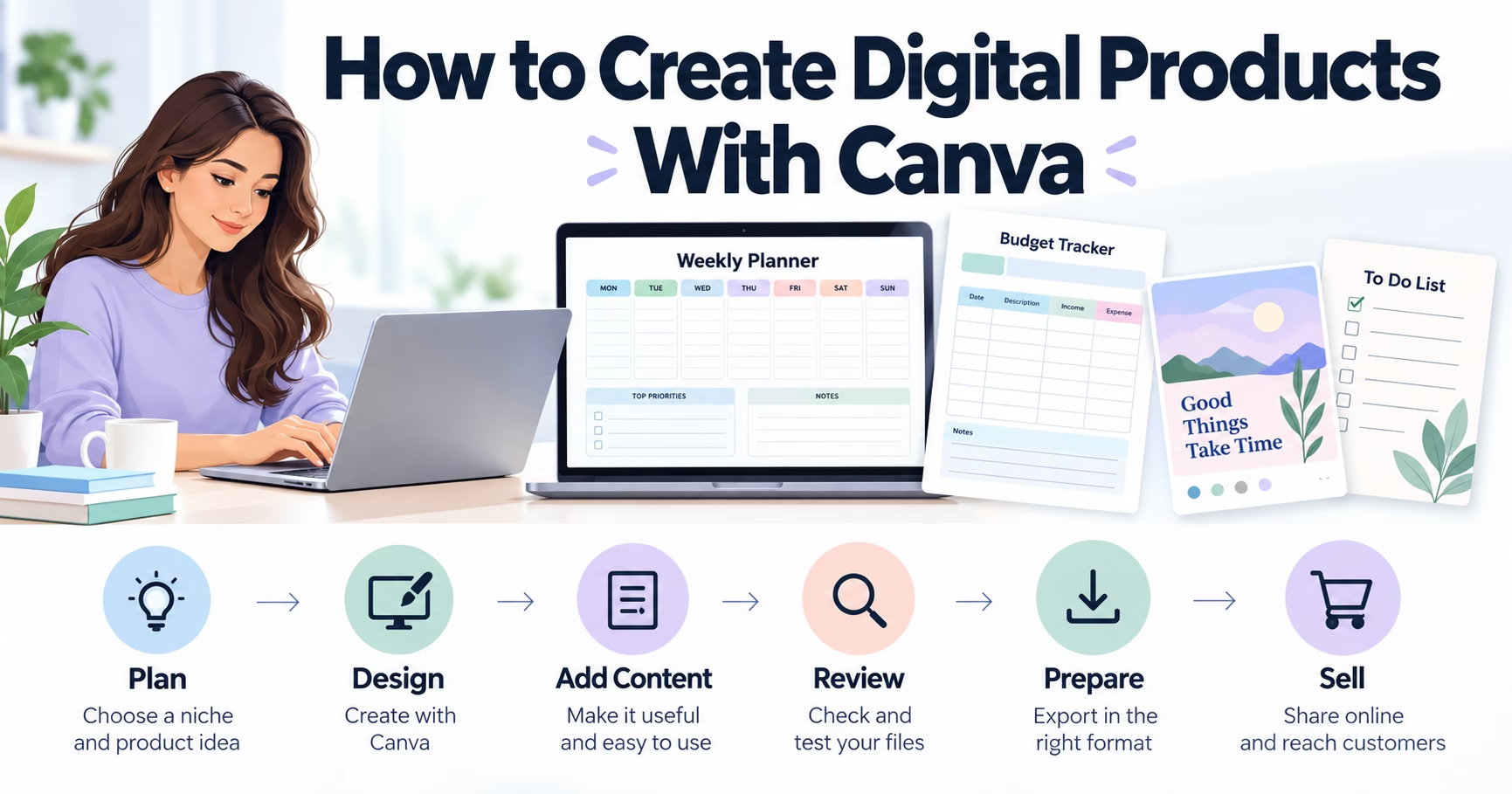
Creating digital products can be a practical way to turn your creativity into something useful that people can download and use. You do not need to be a professional graphic designer to get started. With a clear idea, a simple design tool, and an understanding of what customers need, you can begin creating digital planners, printable worksheets, journals, templates, and other downloadable resources from home.
One tool that makes this process accessible to beginners is Canva. Its visual editor, customizable templates, and collection of design elements make it easier to create polished-looking products without learning complicated design software.
However, designing a product is only one part of the process. You also need to choose a suitable niche, understand your intended audience, prepare files correctly, and decide how you will present your product to potential buyers.
If you are interested in learning how digital products work, starting with a small project is often more useful than trying to build an entire online business at once.
This guide explains how to create digital products with Canva, which product ideas are worth exploring, how to avoid common beginner mistakes, and what to consider before selling your first download.
What Are Digital Products?
Digital products are items delivered electronically rather than as physical goods. Customers typically download a file, access a template, or receive digital content through an online platform.
Unlike physical products, downloadable files do not require you to package and ship each individual order. Once a product is finished, you may be able to sell the same file repeatedly, provided you have the necessary rights and your sales platform permits it.
Popular examples include:
- Printable planners and calendars
- Digital journals and habit trackers
- Educational worksheets
- Social media templates
- Budget planners and expense trackers
- Presentation templates
- E-books and digital guides
- Printable wall art
- Small-business forms and checklists
- Invitations and event-planning templates
These products serve different audiences. A student might want a study planner, a small-business owner might need social media graphics, and a parent might look for printable activity sheets for children.
The important point is that a digital product should solve a specific problem or make a task easier. A collection of attractive pages is not necessarily valuable simply because it looks good. Its usefulness depends on how well it meets the needs of the person using it.
Why Beginners Use Canva to Create Digital Products
Canva is a browser-based design platform with tools for creating documents, graphics, presentations, and many other visual materials. It is particularly useful for people who want to experiment with digital products without spending months learning professional design software.
An accessible design process
You can start with a blank page or customize an existing template. Elements such as text boxes, shapes, illustrations, and backgrounds can be arranged using a visual editor.
For example, someone creating a weekly planner can begin with a basic page, add sections for each day, include a notes area, and adjust the colors and typography to suit the intended audience.
This approach makes the first design less intimidating.
Templates provide a starting point
Templates can help you understand how to organize information on a page. They may also provide inspiration for layouts, color combinations, and typography.
However, a template should not replace original thinking. Simply changing a few colors and selling a minimally modified template may create intellectual-property or marketplace-policy problems, depending on the assets, licensing terms, and product being sold.
Use templates to learn and experiment. Then create a product with its own purpose, structure, and meaningful design choices.
You can create different types of products
Canva can support a range of digital-product formats, including printable PDFs, presentation files, and social media graphics.
The best format depends on how customers will use the product. A worksheet intended for home printing should be designed differently from an editable social media template.
Before starting, decide whether your customer needs to print the file, use it on a tablet, edit it online, or share it with a team.
How to Choose a Digital Product Niche
Choosing a niche means deciding whom you want to serve and what type of problem you want to help solve.
It is tempting to create a little bit of everything. You might design a fitness tracker one day, a wedding invitation the next, and a business planner after that. Experimentation is useful, but a focused product collection can make it easier for customers to understand your shop.
Start with a specific audience
Think about people whose everyday tasks could be made easier with a downloadable resource.
For example:
- Teachers may need classroom organization sheets and learning activities.
- College students may appreciate study schedules and assignment trackers.
- Freelancers may use invoice templates and project planners.
- Busy households may benefit from meal planners and grocery lists.
- Content creators may want social media calendars and content planning templates.
- People managing personal finances may find expense trackers and monthly budget sheets useful.
These are starting points, not guarantees of demand. Researching existing products, customer reviews, and search suggestions can help you identify what people actually want.
Look for a problem worth solving
A strong product idea often begins with a simple question: What task takes people too much time, feels confusing, or is easy to forget?
Consider a freelance graphic designer who struggles to organize client deadlines. A project tracker with fields for client names, due dates, payment status, and revision notes could help make that workflow easier.
A general planner may appeal to a broad audience, but a planner designed around a particular task can communicate its purpose more clearly.
Check existing products before creating yours
Search marketplaces and relevant online communities to understand how similar products are presented. Look at the features buyers mention positively and the shortcomings they identify in reviews.
Pay attention to:
- The intended customer
- The file formats included
- The product’s practical features
- Common questions from buyers
- The clarity of product previews
- Areas where existing products appear confusing or incomplete
Do not copy another seller’s artwork, wording, branding, or distinctive design. Use research to understand customer expectations and develop your own solution.
Digital Product Ideas You Can Create With Canva
Your first product does not need to contain dozens of pages. A small, well-organized download can be a reasonable way to learn the design and publishing process.
1. Printable planners
Planners help people organize activities, appointments, goals, and responsibilities.
You could create a weekly schedule, daily task planner, meal planner, or project-planning sheet. Keep the layout practical, with enough writing space and clearly labeled sections.
If you design a printable planner, consider standard US Letter paper dimensions because many American customers use that format. You can also offer an A4 version when appropriate.
2. Budget trackers
A budget tracker can help users record income, expenses, savings goals, and spending categories.
A simple monthly worksheet might include planned expenses, actual expenses, and the difference between them. Clear labels and straightforward calculations are more valuable than excessive decoration.
Be careful not to present a basic tracker as personalized financial advice or promise that using it will produce a particular financial result.
3. Social media templates
Small businesses and independent creators often need consistent visuals for online content.
A template collection might include promotional posts, educational graphics, quote layouts, or announcement designs. Organize the files by purpose so users can find what they need quickly.
If you offer editable Canva templates, explain what customers receive and how they can access them. Check Canva’s current licensing rules before distributing templates containing Canva assets.
4. Educational worksheets
Worksheets can help teachers, tutors, and parents organize learning activities.
Possible products include vocabulary practice, handwriting exercises, reading logs, classroom checklists, and simple activity sheets.
The material should match the intended age group and learning objective. For educational products, accuracy and readability matter more than decorative elements.
5. Digital journals and habit trackers
Journals can help users record reflections, routines, goals, or personal observations.
You might create a gratitude journal, reading log, daily reflection sheet, or habit tracker. Avoid making unsupported claims that a journal will treat a health condition or guarantee a particular emotional outcome.
6. Small-business templates
Entrepreneurs may need repeatable documents for organizing their work.
Examples include client onboarding checklists, content calendars, meeting notes, project trackers, and business planning worksheets.
Clearly explain the intended use of each template. If a document involves legal, tax, or regulatory matters, users may need advice from an appropriately qualified professional.
How to Create Digital Products With Canva Step by Step
Once you have selected an idea, use a simple workflow to turn it into a finished product.
Step 1: Define the product’s purpose
Write one sentence explaining what the product helps the customer do.
For example: “This weekly content planner helps independent creators organize post ideas, publishing dates, and captions in one place.”
This statement becomes a useful reference while you design. If a page does not supported the product’s purpose, consider removing it.
Step 2: Outline the contents
Before opening Canva, list the pages or sections you need.
A weekly content planner might include:
- A weekly overview
- A list of content ideas
- A publishing schedule
- A caption-writing section
- A review page for completed posts
Planning the structure first can save time and prevent unnecessary pages from being added simply to increase the file’s length.
Step 3: Set up the correct dimensions
Choose dimensions based on the intended use.
For printable products aimed at US customers, US Letter dimensions of 8.5 × 11 inches are a useful starting point. For social media graphics, use dimensions suited to the intended platform and placement.
For a digital planner, decide whether the product will be used on a tablet or printed. Test the layout in the format your customer is most likely to use.
Step 4: Build a consistent visual style
Choose a small color palette, readable fonts, and a consistent layout system.
For example, a professional business planner might use dark navy headings, a white background, and a muted blue accent. A children’s activity sheet might need brighter colors and more playful illustrations.
Consistency helps users understand the product. Avoid using too many fonts, decorative elements, or competing colors on the same page.
Step 5: Add useful content
The product should provide more than an attractive appearance.
Include clear instructions where necessary, meaningful labels, enough space for users to write, and examples if they make the product easier to understand.
Review every page for spelling errors, inconsistent spacing, and confusing instructions.
Step 6: Review licensing and usage rights
Before publishing, verify that the elements in your design can be used for your intended commercial purpose.
Canva’s content licensing terms distinguish between different uses of its content, including restrictions that may apply to standalone assets and certain template distributions. The rules can vary depending on the asset and how the product is supplied.
Do not assume that every image, illustration, font, or template can be resold just because it appears in the editor. Check the current official licensing terms and the terms attached to any third-party resources you use.
Original text, original layouts, and properly licensed assets can help you build a more dependable product.
Step 7: Export and test the file
For printable products, PDF is often a suitable format. Other products may require image files or an editable-template access link.
After exporting, open the file and inspect it carefully.
Check that:
- All pages are present and in the correct order.
- Text is readable at normal viewing size.
- Nothing important is cut off.
- Links work where applicable.
- The file opens on a typical device.
- The printing layout looks correct.
A few minutes of testing can prevent avoidable customer complaints.
Step 8: Prepare a clear product description
Your listing should explain what the customer receives, who the product is for, and how to use it.
Include the number of pages, file formats, dimensions, and any software or account requirements. State clearly whether the purchase includes a downloadable file or access to an editable template.
If a product is digital only, make that clear before checkout. Customers should not have to guess whether a physical item will arrive in the mail.
Where Can You Sell Canva Digital Products?
After creating a product, you need a way to deliver it to customers.
Different platforms have different fees, rules, and customer expectations, so compare them before choosing.
Online marketplaces
Marketplaces can offer access to shoppers who are already searching for digital downloads. However, competition can be high, and each marketplace has its own listing standards, fees, and intellectual-property policies.
Read the current seller requirements before opening a shop.
Your own website
A website gives you more control over your branding, product descriptions, and customer experience. Depending on the setup, you may also have greater control over email subscriptions and promotional content.
You will need to consider payment processing, file delivery, privacy requirements, customer support, and traffic generation.
A website does not automatically attract visitors simply because a product is published. Search visibility and customer trust usually require ongoing work.
Social media and content marketing
Social media can help you demonstrate how a product works. For example, you could publish a short video showing how a weekly planner organizes tasks or share a preview of a content calendar.
Pinterest, Instagram, YouTube, and other platforms can serve different audiences. Choose channels that fit your product and your ability to publish consistently.
Avoid misleading previews, exaggerated income claims, or descriptions that promise results your product cannot guarantee.
How to Price Your First Digital Product
There is no universal price for a digital download. Pricing depends on the product’s usefulness, originality, complexity, audience, and the alternatives available to customers.
A single-page checklist and a detailed collection of professionally designed templates do not necessarily provide the same value.
Research comparable products and consider the time required to create, test, and maintain your files. Also account for marketplace fees, payment-processing costs, taxes, and any other relevant expenses.
For a first release, you might choose a straightforward price that reflects the product’s scope. You can adjust it later based on customer feedback and actual sales data.
Avoid choosing a price solely because another seller charges more. A high price does not make a product valuable, and a low price does not automatically generate demand.
If you run a promotion, state the terms honestly. Do not advertise an artificial original price or a discount that customers cannot reasonably verify.
How to Market Your Digital Products
Creating a useful product is only the beginning. Potential customers need to discover it, understand its benefits, and feel confident that it is worth their time or money.
Create helpful content
Instead of repeatedly posting sales messages, demonstrate how your product can be used.
A creator selling a content planner could share tips for organizing a week of social media posts. A teacher offering worksheets could publish examples of classroom organization methods.
Useful content can introduce your expertise while giving people a reason to explore your products.
Use clear previews
Show actual pages, important features, and realistic examples. A customer should be able to understand the product before purchasing.
If you use mockups, ensure that they accurately represent the files being sold. Do not display features that are absent from the final download.
Improve your product descriptions
Use the words your intended customers naturally use when searching for a solution. Include relevant terms in titles, headings, descriptions, and image alternative text where they fit naturally.
For example, a product designed for weekly content planning might be described as a “weekly social media content planner.” Avoid repeating the same phrase excessively or adding unrelated keywords.
Build an email list responsibly
An email list can help you share new products and useful resources with people who choose to subscribe.
Offer something genuinely relevant, explain what subscribers can expect, and use a clear consent process. Provide an easy way to unsubscribe and follow applicable privacy and email marketing laws.
A free resource can be a useful introduction to your work, but it should deliver what you promise. Never imply that a free download is a paid product or that subscribing guarantees business success.
Common Mistakes to Avoid
Beginners often spend too much time making a product look impressive and too little time checking whether it is useful.
Here are some problems worth watching for.
Creating products without researching demand. A design may look appealing to you but fail to solve a problem customers care about. Research first and test small ideas before investing substantial time.
Relying entirely on generic templates. A template can be a starting point, but customers need a clear reason to choose your product over other options.
Ignoring licensing restrictions. Using an asset incorrectly can create problems for your shop or listing. Review the relevant terms before selling or distributing files.
Adding unnecessary pages. More pages do not automatically mean more value. Every section should have a clear purpose.
Using unclear product previews. If buyers cannot tell what they are receiving, they may leave without purchasing or become dissatisfied after checkout.
Expecting immediate sales. A new shop or website may take time to attract visitors and build trust. There is no guaranteed timeline for earning revenue from digital products.
Making unrealistic income claims. Avoid promising that a particular design, platform, or marketing method will generate a specific amount of money. Results vary according to product quality, demand, pricing, promotion, and other factors.
A Simple Plan for Your First Seven Days
If you are unsure where to begin, a short project can help you move from planning to a finished product without becoming overwhelmed.
Day 1: Choose an audience. Identify one group of people and one problem you want to address.
Day 2: Research existing solutions. Examine comparable products, customer questions, and common complaints. Write down how your idea could be more useful or easier to understand.
Day 3: Outline the product. Decide which pages or features are necessary. Keep the initial version manageable.
Day 4: Design in Canva. Create the first version using consistent typography, spacing, and colors.
Day 5: Review and test. Check the content, file format, licensing, readability, and overall usability.
Day 6: Prepare the listing. Write an accurate title and description, create previews, and choose an appropriate sales or delivery platform.
Day 7: Publish and gather feedback. Share the product with your intended audience. Pay attention to questions and suggestions, and use them to identify improvements.
This schedule is a practical starting point, not a deadline you must meet. A complex product may take longer, and a simple product may require fewer days. The goal is to develop a repeatable process rather than rush something unfinished.
Free Resources to Help You Get Started
If you would like some guidance before building your first product, having a checklist and a clear starting point can make the process easier.
You can explore this free Canva Creator Starter Kit:
Get the Free Canva Creator Starter Kit
The resource is intended for people exploring digital-product creation and includes guidance such as a digital product starter checklist, Canva creation resources, KDP planner ideas, digital-product niche ideas, and a product launch checklist.
Review the landing page for the current contents and any requirements for accessing the materials. If the resource is offered in exchange for an email address, check the subscription terms and privacy information before signing up.
You do not need to use every resource at once. Start with the checklist, choose one product idea, and work through the creation process at a comfortable pace.
The most useful resource is one that helps you take a specific next step rather than leaving you with more information to sort through.
Frequently Asked Questions
Can I create digital products with Canva for free?
Canva offers a free plan that can be sufficient for many basic designs. Some features, assets, and capabilities require a paid subscription. Check the current plan details and licensing terms to confirm that your chosen features are suitable for your intended product.
Do I need design experience to get started?
No professional design background is required to create a basic planner, checklist, or worksheet. You can learn the fundamentals by working on a small project, using a consistent layout, and reviewing the finished file carefully.
Design experience can help with more complex products, but beginners can start with simple and useful ideas.
What digital product should I create first?
Choose a product that addresses a specific need and is manageable to finish. A weekly planner, checklist, simple worksheet, or small collection of social media templates can be a reasonable first project.
Research your intended audience before deciding which idea to pursue.
Can I sell Canva templates online?
You may be able to sell eligible original templates, subject to Canva’s current licensing terms, the rights attached to the assets you use, and the rules of your chosen marketplace.
Do not assume that every Canva template or included element can be redistributed or sold as a standalone asset. Review the relevant terms before publishing.
How much money can I make selling digital products?
There is no guaranteed income level. Earnings depend on factors such as customer demand, product quality, pricing, expenses, competition, and marketing.
Some products may attract little interest, while others may develop a customer base over time. Treat digital-product creation as a business experiment, track actual results, and avoid spending money based on unrealistic income promises.
Do I need a website to sell digital downloads?
Not necessarily. You can explore suitable marketplaces or other platforms that support digital delivery. A website can provide greater control over your branding and customer experience, but it also requires maintenance, payment setup, and a plan for attracting visitors.
Choose the approach that fits your budget, skills, and business goals.
Final Thoughts
Creating digital products with Canva can be a manageable way to explore online entrepreneurship without starting with complicated design software or a large collection of products.
The process becomes clearer when you focus on a specific audience, research its needs, create a useful first product, and test the final files before publishing. From there, accurate product descriptions, helpful marketing content, and thoughtful customer feedback can guide your next steps.
You do not need to build an entire digital-product business in one week. Begin with one practical idea, learn the tools, and improve your work as you gain experience.
If you want a structured starting point, visit the free Canva Creator Starter Kit and review the available resources. Choose one task you can complete, put what you learn into practice, and build from there.
Disclosure: This page contains a promotional link to a resource. If the link is an affiliate link, the publisher may receive compensation when visitors take qualifying actions, at no additional cost to them. Review the linked page’s terms before signing up.